Dont worry friends if you cant install more than one Operating systems on your PC. Here is the solution for this. With the software GAG or Boot-US, you can install multiple OS on your computer.
Need for Speed: Most Wanted (commonly abbreviated to as NFS: MW) is an upcoming 2012 racing video game, developed by British games developer Criterion Games and published by Electronic Arts.
Gameplay
Need for Speed: Most Wanted takes on the gameplay style of the first Most Wanted title in the Need for Speed franchise. Most Wanted
allows players to select one car and compete against other racers to
reach a destination. Cops are integrated into certain racing sessions,
in which the police deploy vehicles and tactics to stop the player's car
and arrest the player, like the original Most Wanted. The single-player section will feature a Blacklist of 10 racers, similar to the single-player section of the original Most Wanted, which featured 15 Blacklist racers. Most Wanted has been likened to Criterion's Burnout series, and has a large open world. Like Burnout Paradise, races have a start and end point but players can choose their own route to the finish line.
The game will use Autolog, the competition-between-friends system developed by Criterion for Need for Speed: Hot Pursuit, and since used in other titles in the Need for Speed series. Autolog in Most Wanted
plays a larger role and gives more information to players. Activities
in-game allow players to earn Speed Points which can boost players up on
Most Wanted list. Autolog recommendations have now been integrated into
the game world, rather than sit externally on the menu system.
The driving model of the game has been described as "deep, physical and fun", not as arcade-styled as the Burnout series and Hot Pursuit, but far from a simulator. Most Wanted
has a range of real-world vehicles, a mix of muscle cars, street racers
and exotics, described as "the wildest selection of cars yet". The cars can be altered with performance upgrades and visual upgrades,
such as paint colors, wheels, suspensions, engine, nitrous, and bodywork
(body kits).
Watch Trailer
Information:-
Developer(s) Criterion Games
Publisher(s) Electronic Arts
Director(s) Alex Ward (Creative)
Craig Sullivan (Creative)
Producer(s) Matt Webster
Designer(s) Matt Follett
Composer(s) Chris Green
Series Need for Speed
Engine Chameleon
(Extremely Modified)
Platform(s)
Microsoft Windows
PlayStation 3
Xbox 360
Wii U
PlayStation Vita
iOS
Android
Release date(s)
NA 30 October 2012
EU 2 November 2012
Ubuntu is one of the great OS which comes
with handy and flexible features, Unlike windows you can change the
login screen very easily in ubuntu(believe me), you don’t need any
external softwares or hacks to do it. Even though there is no GUI
available presently you can do it through some command lines, So follow
me closely and you will be good.
I don't want to be sooo long, so lets get to the procedure
Requirements:
-
Ubuntu OS(Lucid), if you don’t have one you can download from here and
install it through CD/DVD or install ubuntu through USB flash drive.
- 5 minuets of your valuable time
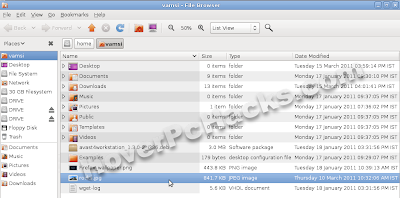
Step #1: select you favorite wallpaper(.jpeg) and move it to your HOME folder.
Step #2: Open up you terminal through Applications > Accessories > Terminal.
Step #3: Now move it(wallpaper) to the system wallpaper directory by entering this command in terminal sudo mv ~/your-wallpaper-name.jpg /usr/share/backgrounds
Step #4: After successful completion of moving use this command to activate Appearance window at login. sudo cp /usr/share/applications/gnome-appearance-properties.desktop /usr/share/gdm/autostart/LoginWindow
Step
#5:Now simply close the window and logout of the session, Now at the
login screen Appearance tab will be opened, Navigate to backgrounds tab
and select your favorite wallpaper, if you can’t find your wallpaper,
click ADD. Now you will find the wallpaper in the
list(/usr/share/backgrounds directory).
That’s it your login screen will be changed automatically and instantly.
Step #6: For the last step open up the terminal and enter this command to disable the appearance window at every login.